分类: Sakurairo主题美化

  • 为波浪特效再添加一个浮动摆件!

    为波浪特效再添加一个浮动摆件!

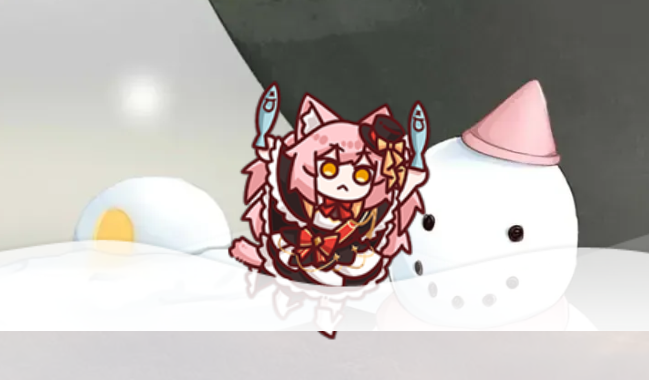
    效果展示

    上一手来源:conoha的旧版博客

    Sakurairo美化,Sakurairo 主题挂件

    速通教程

    引入以下脚本内容以兼容pjax

    // 游泳
    const swimmingChara = `
    <div id="swimmingChara" class="kankore-bath hidden-sm hidden-xs">
    	<div style="animation: 10s linear 0s normal none infinite waves-r2l;" class="water"></div>
    	<div class="shiro kan" href="javascript:;">
    		<img src="/mods/kan/shiro.png">
    	</div>
    </div>
    `;
    
    // 判断是否首页
    function isHomepage() {
      return window.location.pathname === '/' && !window.location.search;
    }
    
    function toggleswimmingChara() {
      const contentContainer = document.getElementById('swimmingChara');
    
      if (isHomepage()) {
        // 如果在首页并且内容不存在,则插入内容
        if (!contentContainer) {
          document.body.insertAdjacentHTML('beforeend', swimmingChara);
    
          // 执行脚本
          const script = document.createElement('script');
          script.type = 'text/javascript';
          script.src = '/mods/kan/kancolleconf.js';
          document.body.appendChild(script);
        }
      } else {
        // 非首页移除
        if (contentContainer) {
          contentContainer.remove();
        }
      }
    }
    
    // 刷新内容
    function refreshswimmingChara() {
      const contentContainer = document.getElementById('swimmingChara');
      if (contentContainer) {
        // 移除旧的载入脚本并重新载入
        const oldScript = document.querySelector('script[src="/mods/kan/kancolleconf.js"]');
        if (oldScript) {
          oldScript.remove();
        }
    
        // 移除旧的内容
        contentContainer.remove();
    
        // 插入新的内容
        document.body.insertAdjacentHTML('beforeend', swimmingChara);
    
        // 重新载入
        const script = document.createElement('script');
        script.type = 'text/javascript';
        script.src = '/mods/kan/kancolleconf.js';
        document.body.appendChild(script);
      }
    }
    
    // 首页初始化
    toggleswimmingChara();
    
    // 每6秒刷新一次
    setInterval(refreshswimmingChara, 60000);
    
    // 监听pjax事件
    document.addEventListener('pjax:complete', () => {
      toggleswimmingChara();
      refreshswimmingChara();
    });
    

    未开启pjax的站点可以直接下载并引入以下内容:

    样式已针对sakurairo的封面波浪纹饰进行修改

    https://wp.moecat.cc/mods/kan/kancolle.css
    https://wp.moecat.cc/mods/kan/kancolle.js

    接着在页尾嵌入以下内容:

    <div id="swimmingChara" class="kankore-bath hidden-sm hidden-xs">
    	<div style="animation: 10s linear 0s normal none infinite waves-r2l;" class="water"></div>
    	<div class="shiro kan" href="javascript:;">
    		<img src="/mods/kan/shiro.png">
    	</div>
    </div>

    最后再引入载入脚本即可:

    https://wp.moecat.cc/mods/kan/kancolleconf.js

    内容
    允许
    说什么好呢?
    不知道哎
    标题111
  • 一款动态鼠标样式

    一个鼠标样式,就是这页你所看到的(Pjax下显示不完整可手动刷新)。
    和主题帮助文档用的是同款,喜欢的话可以带走。
    自行保存代码内引用的外部文件后重新引用即可。

    <div id="cursor"></div>
    <link rel="stylesheet" href="https://wp.moecat.cc/mods/cursor.min.css" type="text/css" media="all">
    <script type="text/javascript" src="https://wp.moecat.cc/mods/cursor.min.js" ></script>
  • Sakurairo页尾美化方法

    排面(服务提供商logo阵列)

    经典的页尾供应商logo阵列,
    可以移除原有theme_info并替换为典中典的云服务供应商Logo。
    直接全量引入该javascript即可,
    如果开启了Pjax移除代码需要添加保活

    以下Javascript代码是我目前在使用的,
    使用它们可以移除原有的Theme Sakurairo | Created by Fuukei
    并替换为 Cloudflare Sakurairo 阿里云 并列

    document.querySelectorAll('.theme-info a').forEach(el => el.remove()); // 移除theme-info
    let position = '.site-footer > .site-info';
    let ProviderList = `
      <style>
        .provider {
            display: flex;
            align-items: center;
            height: 1em; 
            gap: 5px; 
            text-decoration: none; 
            font-size: 1em; 
            color: inherit; 
        }
        .provider_list {
            display: flex;
            align-items: center;
            justify-content: center;
            gap: 10px; 
            text-align: center;
        }
        .logo-icon {
            height: 1em; 
            width: auto;
            vertical-align: middle;
        }
      </style>
      <div class="provider_list">
          <a class="provider" href="http://cloudflare.com" target="_blank" rel="nofollow">
              <img class="logo-icon" src="https://files.nicocat.cc/wp-content/uploads/2024/10/cf.svg" alt="">
          </a>
          <a class="provider" href="https://docs.fuukei.org/" target="_blank" data-v-d5925166="" rel="nofollow">
              <img class="logo-icon" src="https://files.nicocat.cc/wp-content/uploads/2024/10/theme.webp" alt="">
              <span style="font-family: Segoe UI Symbol;color:grey">Sakurairo</span>
          </a>
          <a class="provider" href="http://aliyun.com" target="_blank" rel="nofollow">
              <img class="logo-icon" src="https://files.nicocat.cc/wp-content/uploads/2024/10/aliyun.png" alt="">
          </a>
      </div>
    `;
    var SiteFooter = document.querySelector(position);
    if (SiteFooter) {
        SiteFooter.insertAdjacentHTML('afterend', ProviderList);
    }

    你可以将以下内容添加进设置项的页尾——附加代码

    <script>
    document.addEventListener('DOMContentLoaded',function(){
        document.querySelectorAll('.theme-info a').forEach(el => el.remove()); // 移除theme-info
        
        let position = '.site-footer > .site-info';
        
        let ProviderList = `
          <style>
            .provider {
                display: flex;
                align-items: center;
                height: 1em; 
                gap: 5px; 
                text-decoration: none; 
                font-size: 1em; 
                color: inherit; 
            }
            .provider_list {
                display: flex;
                align-items: center;
                justify-content: center;
                gap: 10px; 
                text-align: center;
            }
            .logo-icon {
                height: 1em; 
                width: auto;
                vertical-align: middle;
            }
          </style>
          <div class="provider_list">
              <a class="provider" href="http://cloudflare.com" target="_blank" rel="nofollow">
                  <img class="logo-icon" src="https://files.nicocat.cc/wp-content/uploads/2024/10/cf.svg" alt="">
              </a>
              <a class="provider" href="https://docs.fuukei.org/" target="_blank" data-v-d5925166="" rel="nofollow">
                  <img class="logo-icon" src="https://files.nicocat.cc/wp-content/uploads/2024/10/theme.webp" alt="">
                  <span style="font-family: Segoe UI Symbol;color:grey">Sakurairo</span>
              </a>
              <a class="provider" href="http://aliyun.com" target="_blank" rel="nofollow">
                  <img class="logo-icon" src="https://files.nicocat.cc/wp-content/uploads/2024/10/aliyun.png" alt="">
              </a>
          </div>
        `;
        
        var SiteFooter = document.querySelector(position);
        if (SiteFooter) {
            SiteFooter.insertAdjacentHTML('afterend', ProviderList);
        }
    })
    </script>

    WP小工具区

    Sakurairo的WP小工具区仅在视窗宽度>860px的情况下显示,用户可以通过点击页尾的圆规图标呼出

    WP小工具区就是呼出的按钮面板顶部那一块,你可以在Wordpress外观设置——小工具那边自定义它

    旧版Sakurairo页尾

    使用以下CSS样式可以将3.0页尾改回Sakurairo页尾样式

    .site-footer {
        position: relative;
        max-width: unset;
        width: unset;
        margin: unset;
        border-radius: 0;
        z-index: 1;
        box-shadow: unset;
    }
    
    body.dark .site-footer {
        background: var(--dark-bg-primary) !important;
    }
    
    #page.wrapper {
        padding-bottom: unset!important;
    }
  • WordPress BotUI速通教程

    BotUI(就是关于页的对话框)

    在博客放一个BotUI,BotUI使用,博客使用BotUI快速入门。

    转自:https://yangziwen.cn/2022/03/03/wordpress-botui/

    下载:

    https://wp.moecat.cc/mods/botui/botui.min.css
    https://wp.moecat.cc/mods/botui/botui-theme-default.css
    https://wp.moecat.cc/mods/botui/botui.js
    https://wp.moecat.cc/mods/lib/vue.min.js

    然后在页面嵌入以下自定义html内容,在前面一部分使用类似的方式引入上面这四个文件即可。
    回复配置请自行举一反三。

    <link rel="stylesheet" href="/mods/botui/botui.min.css">
    <link rel="stylesheet" href="/mods/botui/botui-theme-default.css">
    <script src="/mods/botui/botui.js"></script>
    <script src="/mods/lib/vue.min.js"></script>
    
    <div id="content" class="site-content">
        <div class="entry-content">
            <div class="popcontainer" id="fogforest"
                style="min-height:300px; padding:2px 6px 4px 6px; background-color: rgba(242, 242, 242,0.5); border-radius: 10px; border: 2px solid">
                <center>
                    <span style="font-size: large;">与&nbsp;nicocat&nbsp;对话中...</span>
                </center>
                <bot-ui style="background-color: transparent;">
                    <center>
                        <div
                            style=" background-image: url(https://cdn.jsdelivr.net/gh/Karensky/[email protected]/botui/loading.svg);background-repeat: no-repeat;background-size: 10em;background-position: center;height: 10em;">
                        </div>
                        <p>Loading</p>
                    </center>
                </bot-ui>
            </div>
        </div>
    </div>
    <script type="text/javascript">
        function runBotui() {
            /*
            * BotUI回复配置
            */
            var botui = new BotUI("fogforest");
            botui.message.bot({
                delay: 200,
                content: "你好,喵!"
            }).then(function () {
                return botui.message.bot({
                    delay: 1000,
                    content: "我是兰啦罗喵~"
                })
            }).then(function () {
                return botui.message.bot({
                    delay: 1000,
                    content: "一位19岁的大学牲!👻"
                })
            }).then(function () {
                return botui.action.button({
                    delay: 1500,
                    action: [{
                        text: "然后呢? 😃",
                        value: "then"
                    },
                    {
                        text: "少废话! 🙄",
                        value: "then2"
                    }]
                })
            }).then(function (res) {
                if (res.value == "then") {
                    then()
                }
                if (res.value == "then2") {
                    then2()
                }
            });
            var then = function () {
                botui.message.bot({
                    delay: 1500,
                    content: "😘"
                }).then(function () {
                    return botui.message.bot({
                        delay: 1500,
                        content: "喜欢瞎折腾"
                    })
                }).then(function () {
                    return botui.message.bot({
                        delay: 1500,
                        content: "目前在读电子商务专业..."
                    })
                }).then(function () {
                    return botui.message.bot({
                        delay: 1500,
                        content: "会写点网页,会一点营销..."
                    })
                }).then(function () {
                    return botui.message.bot({
                        delay: 1500,
                        content: "喜欢可爱的小萝莉..."
                    })
                }).then(function () {
                    return botui.action.button({
                        delay: 1500,
                        action: [{
                            text: "看看你的",
                            value: "next"
                        }]
                    })
                }).then(function (res) {
                    return botui.message.bot({
                        delay: 1500,
                        content: '<a target="_blank" rel="noopener" href="https://space.bilibili.com/413110087">看看我的B站作品</a></br><a target="_blank" rel="noopener" href="https://github.com/nicocatxzc">看看我在github写的答辩</a>'
                    })
                })
            }
            var then2 = function () {
                botui.message.bot({
                    delay: 1500,
                    content:'<a target="_blank" rel="noopener" href="https://files.nicocat.cc/wp-content/2024/12/黑手.mp4">好康的</a>'
                }).then(function () {
                    return botui.action.button({
                    delay: 1500,
                    action: [{
                        text: "对不起",
                        value: "then"
                    },
                    {
                        text: "那咋了🙄",
                        value: "then2"
                    }]
                })
                }
                ).then(function (res){
                    if (res.value == "then") {
                    then()
                }
                })
            }
        }
        try {
            runBotui()
        } catch (error) {
            if (error instanceof ReferenceError) {
                // handle this expected error
                console.log("botui cdn load failed, refresh");
                window.location.reload();
            } else {
                // handle unexpected error
                console.log("[botui error]:", error);
            }
        }
    </script>